

Assistive Technologies
- Oct 23, 2017
- 4 min read


What does Assistive Technology in the classroom mean to you?
To me, assistive technology includes any technological device that is in the classroom. This could include laptops, cell phones, tablets, smart boards, projectors, etc. These tools are meant for educational purposes to help the student with increasing they knowledge or aiding in their learning and development.
Describe any experiences, you are willing to share, that you have had with Assistive Technologies in your classroom experiences. Did you feel the Assistive Technology benefited the student? Did you sense that the use of this tool was burdensome (perhaps difficult to use or time consuming) or a benefit to the teacher? Why or why not?
I am not the most comfortable with technology, however in one of my practicums my AT was very technologically inclined. I taught a math lesson using a smart board. I scanned the textbook page onto the smart board and used it as a visual representation of the questions. Since the students did not have the textbook, they were working out the questions in their math notebook. For me, it was a learning curve because I am not familiar with using the technology, so the students became the experts in helping me manoeuvre the smart board. The students were very patient in helping me out.
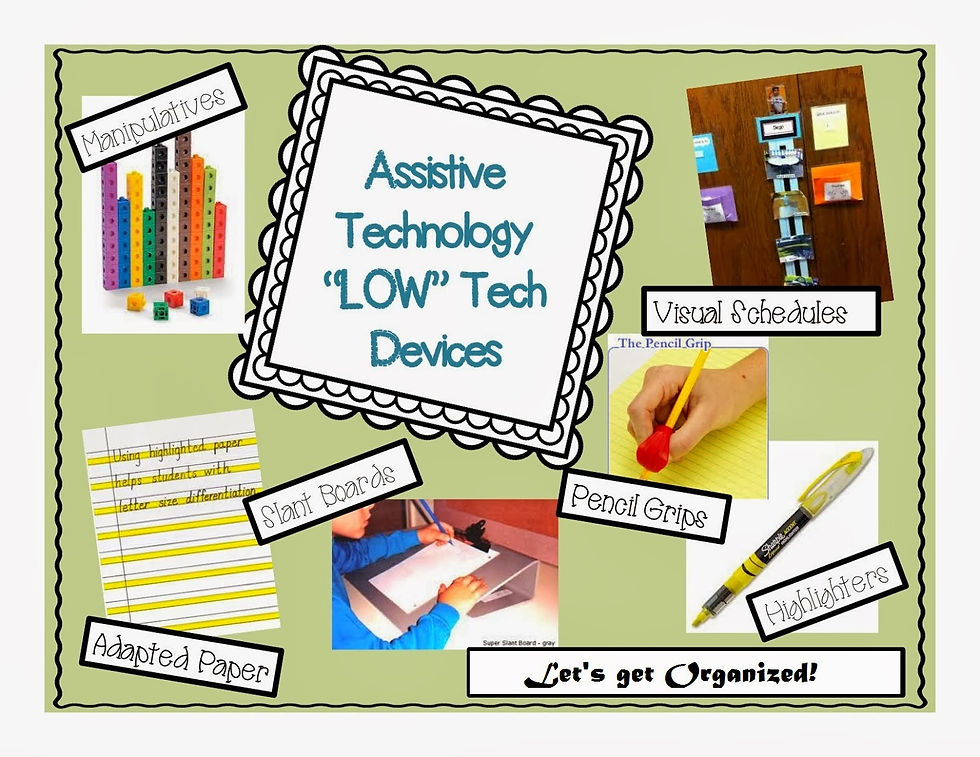
I feel that the students did benefit from using the smart board for two reasons. First, it was a large visual that all students can see and second because students had the opportunity to come to the smart board and participate in solving the questions. This was beneficial to the students because not only were the students explaining their process out loud, the were also writing out the answer on the board. However, I believe select students should still have at least a print out to follow along with. In my personal experience, I prefer to have a print out of the questions so that I would be able to make my own notes and customize the questions for me. I can see how the smart board is beneficial to use as a teaching tool, I would just not rely too heavily on it as the sole form of teaching. The teacher used the smart board constantly so the students were used to it, however it was the only way she taught math. My preference would be to include manipulatives; rather than just drawing 4 blocks on the board, have the students piece together the blocks at their desks.
Drawing on this experience or simply based on what you have learned, describe a situation where a student might benefit from assistive technology in the classroom. What can the teacher do to prevent that student from feeling “different” or from other students viewing that student as “different because of the use of assistive technologies.
In my practicum, there was a student with high functioning autism that had a personal laptop that he used to complete his homework tasks. He had it during lessons and for any writing tasks. The only time he did not use it was when he just had to write numbers. His fine motor skills were underdeveloped so the computer allowed him to fully express his thinking and ideas. Once he had the laptop to use, he was able to participate in the class discussions like everyone else. Since he used the computer so frequently, he became an expert on different applications. He would often teach myself, the teacher or even other students about the functions that are possible on Microsoft Word or other applications. This leadership role that was created allowed him to not feel “different” than the other students.This helped the students to understand that he needs the laptop to learn. I am not aware about how the teacher introduced the plan that only that particular student is able to use the laptop during class. I would have had a discussion with the class at the beginning of the year about how each student in the class learns differently. For example, not every student wears glasses, hence why we do not all need the same thing as the student next to us. Equity vs equality should be a crucial discussion that is shared with the class at the beginning of the year.
What are the pros and cons of AT?
Pros:
visual representation for students
students able to participate in teaching aspect (write something on smart board)
Students are part of an advanced generation where they pick up technology quickly
students are already using technology for personal use, so educational use can only be enhanced
very helpful way to communicate for children with exceptionalities
differentiated instruction
opens the conversation for equity and accessibility
Cons:
should not be the only way to teach
students are not able to synthesize critical information as of yet
distracting for those students who do not use the technology for educational purposes
not everyone has access
expensive $$
difficult to enter a setting without an outlet (outdoors)
What, if any, assistive technologies would you like to see available to all students?
I have just learned about the benefits of Virtual Reality so I believe that a school should have access to having a set for every 2-3 students in a class of 30 (about 10- 15) is beneficial. One for every student is not a necessity. This technology could be used to visit locations that are expensive or are not accessible to visit in a particular school year. For example, if the students read a book about a woman from Syria, they can set the virtual reality camera to Syria to understand what that location looks like and become more interested in the book itself. I tried using it once and it was an incredible experience that could be very educational for students.
Refer to the reading from last week on Universal Design for Learning to explain the important connections between UDL and Assistive Technology.
“It nurtures creativity, collaboration, empathy, and divergent thinking skills appropriate for twenty first-century learning and teaching”(Ontario Ministry of Education, 2013, p.14). This quote sums up the integration of technology in schools today.

https://www.tes.com/lessons/PpNGqaSDhH6C3g/assistive-technology-in-the-classroom
http://www.ldrfa.org/choosing-the-right-assistive-technology-tools-is-key/


Comments